Component · image-trail
Image trail
Pictures that follow the pointer and fall away, plus a project list where each row reveals its image beside the cursor. On a phone the list becomes a tap-to-open accordion with the same images.
Vanilla JS2.8 KBTouch accordionPreloadedReduced motion
Move slowly.
Move the pointer or drag a finger here
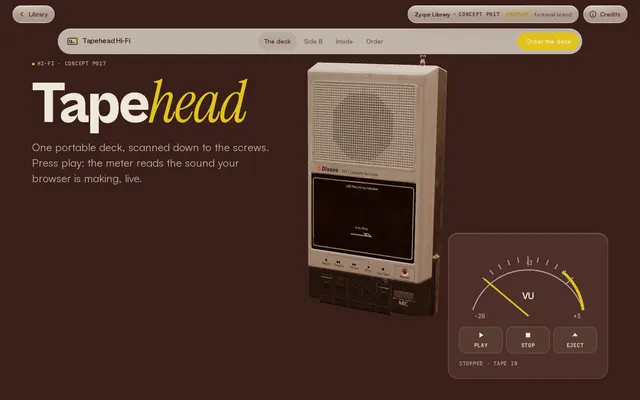
Hover list · on a phone, tap a row
Use it
Copy the folder image-trail/ (the .js and .css files) into your project. No build step and no framework.
Behaviour
- Trail images are preloaded once and cloned, so the first pass never flashes empty boxes.
- Hover list: the floating image eases after the pointer and leans with its speed; the images wipe between rows.
- Touch and reduced motion: the list becomes an accordion (tap a row to open its image inline, one open at a time); the trail area shows one still image instead of the effect under reduced motion.
- Rows are real buttons with
aria-expanded; floating images are decorative andaria-hidden.
Credits
- Hover-reveal project lists are a signature of studio portfolios such as Brandon Yasin (Awwwards SOTD Oct 24 2026) and G. Colombel (SOTD Oct 28 2026); image trails are a long-running award-site motif. Written from scratch.
- Images are Zyqor's own concept renders (models credited on each concept page).
<link rel="stylesheet" href="image-trail.css">

<div class="it" data-image-trail data-images='["a.webp","b.webp","c.webp"]'>...</div>

<ul class="hr" data-hover-reveal>
  <li class="hr-row" data-img="tapehead.webp" data-alt="Tapehead page">
    <button class="hr-toggle" type="button" aria-expanded="false">
      <span class="hr-n">01</span><span class="hr-t">Tapehead Hi-Fi</span><span class="hr-m">Premium</span>
    </button>
    <div class="hr-pane"><div></div></div>
  </li>
</ul>
<script type="module" src="image-trail.js"></script>| Option | Default | What it does |
|---|---|---|
| data-images | [] | JSON list of image URLs for the trail (preloaded once). |
| data-step | 90 | Pointer travel in px between two images. |
| life / max (JS) | 900 / 9 | How long an image stays (ms) and how many can be on screen. |
| --it-w | clamp(140px,16vw,240px) | Trail image width. |
| data-img (row) | Image for that list row. |